Franchise disclosure, clearly read
FDDs raise a lot of questions,
whether you're choosing a franchise
or running one.
The average Franchise Disclosure Document is 267 pages. Clearly turns it into an interactive Workspace that makes the answers easier to find, understand, and verify.
The answers are in the FDDs.
One FDD or a whole portfolio.
We make them easier to read, with a guided review and clear, cited answers.
§ Built by a former franchisor who wrote these documents

Inside the Workspace
One filing, one sitting.
Everything you need for a complete and thorough review of an FDD:
the Clearly Report, the source filing, Clara, and your Notes.
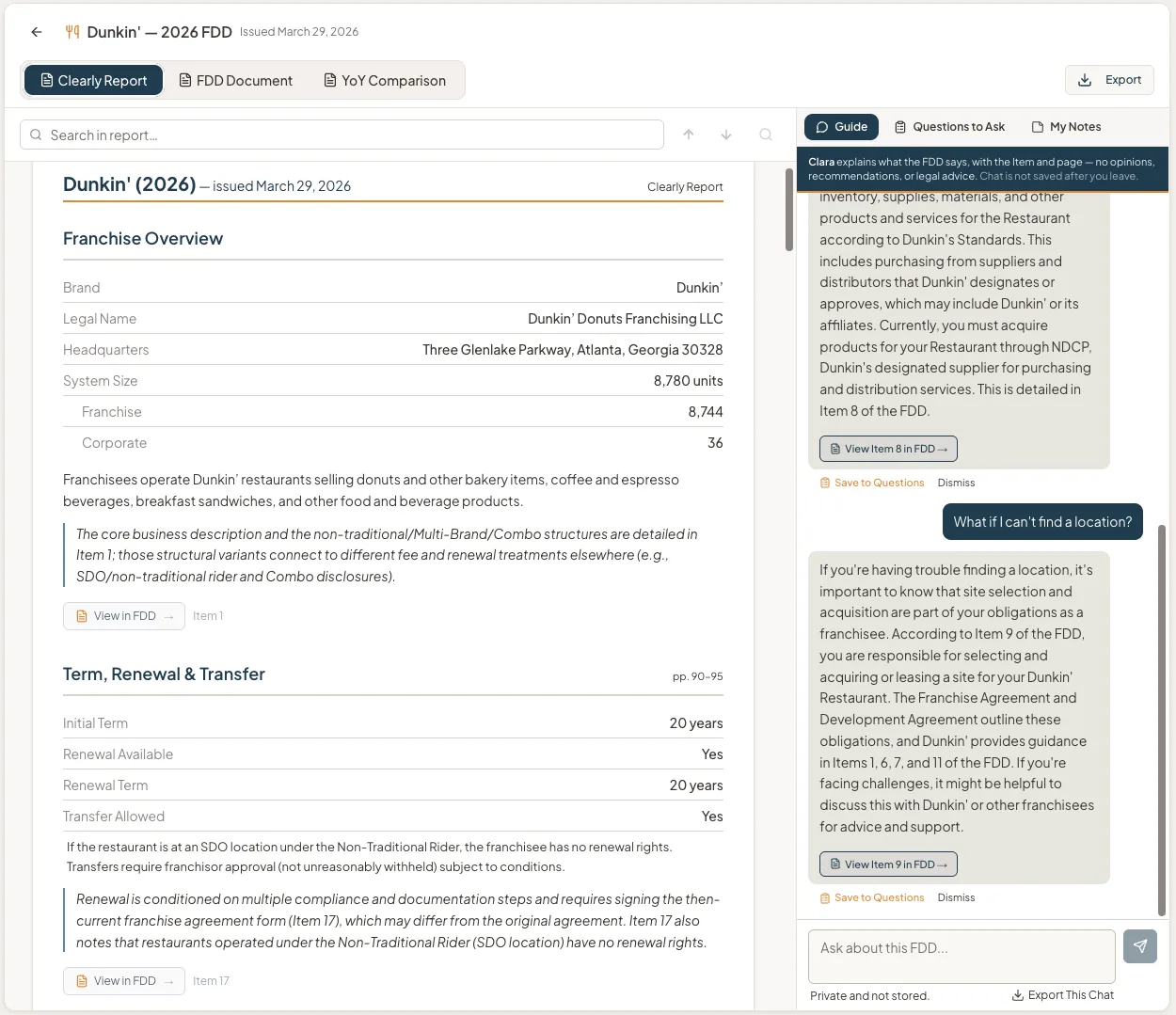
§Dunkin', 2026 FDD · issued 03.29.2026 · 574 pp.
Your "cheat sheet" to the FDD. The most requested Item #s are reported, explained, and cited via a link to the Item number and page in the FDD.
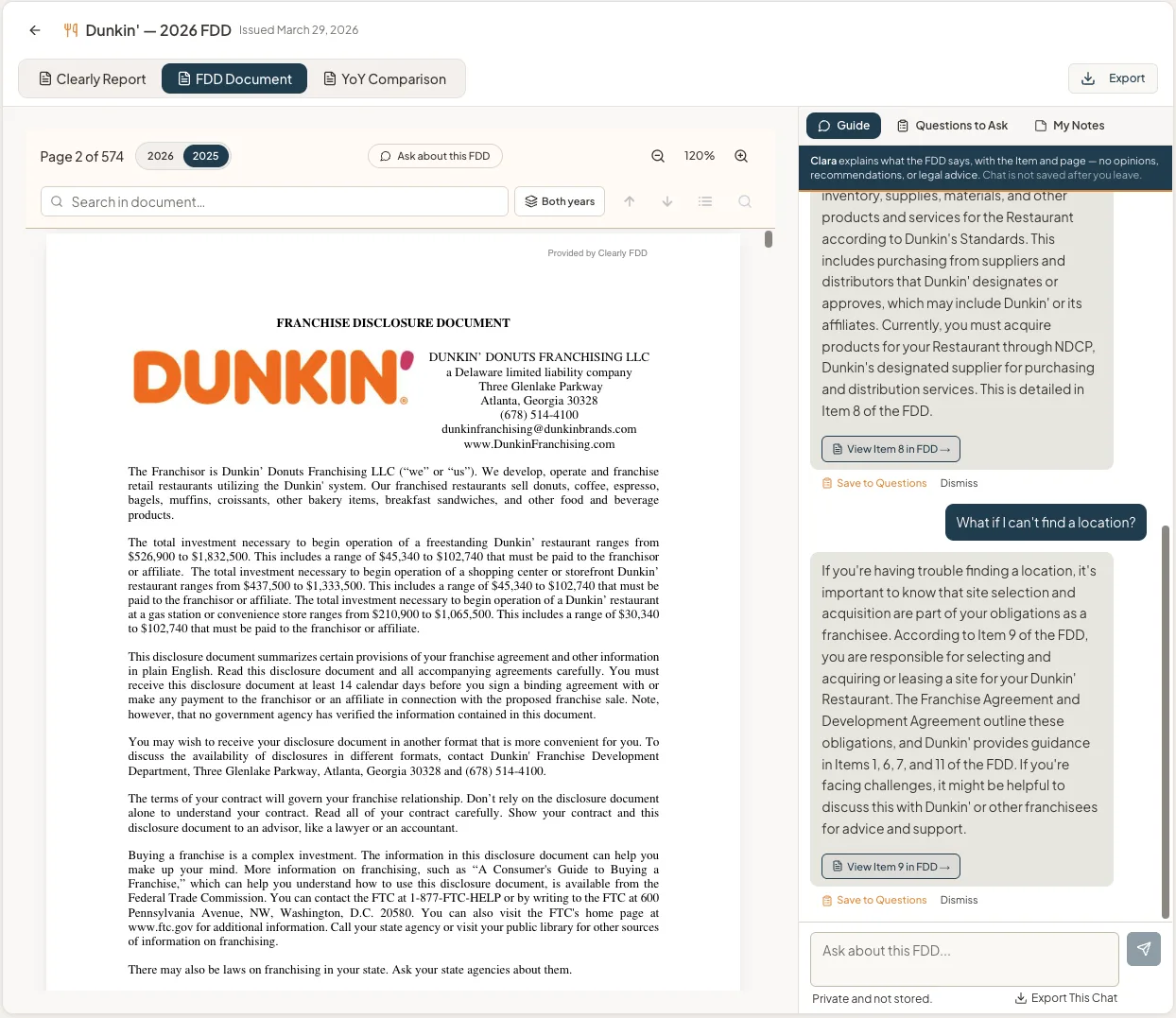
Item 19 · p.104The FDD is as filed by the brand with the registration states, searchable, and downloadable.
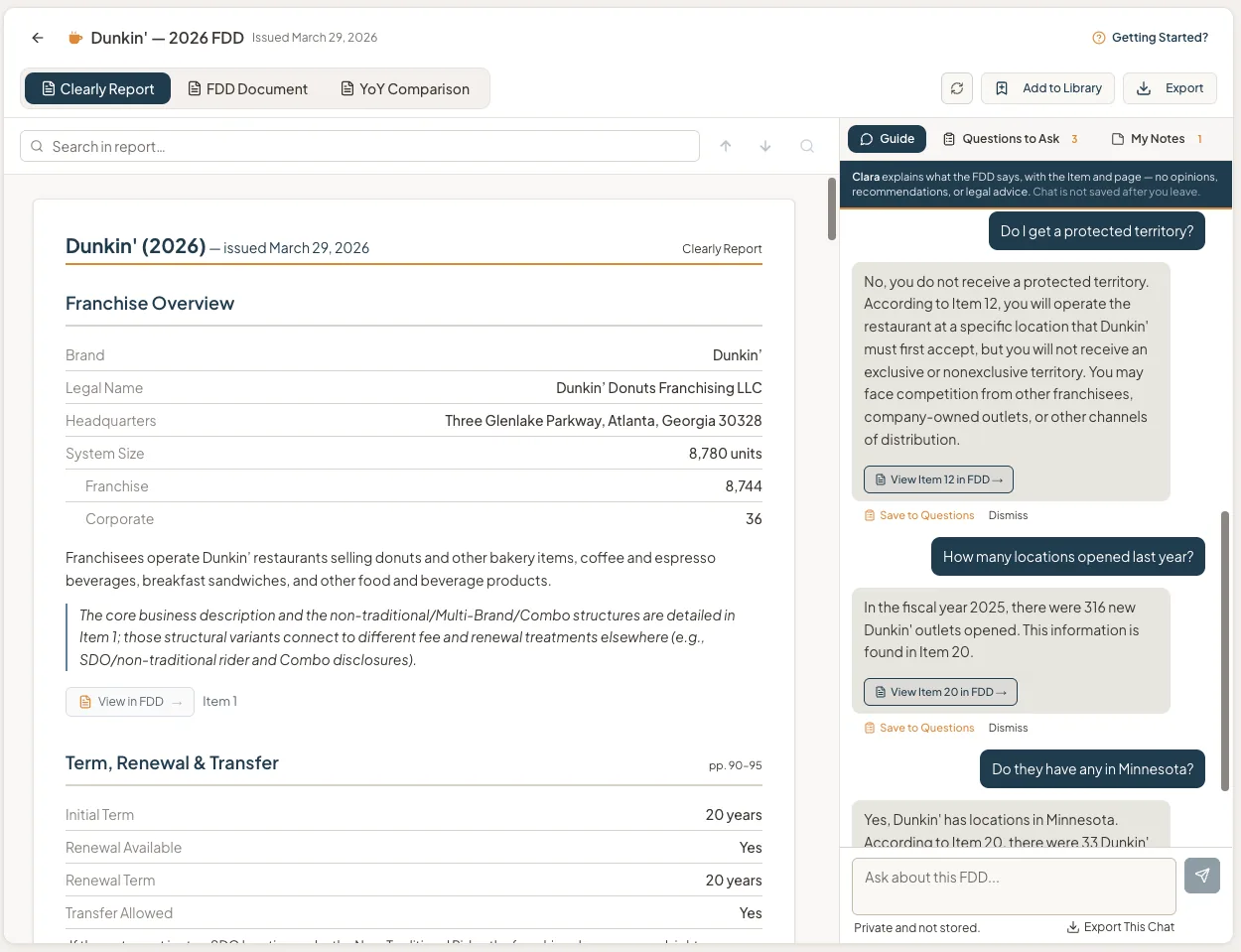
Ask in your own words; Clara answers from this filing only, and every answer links straight to the Item and page. No opinions, recommendations, or legal advice.
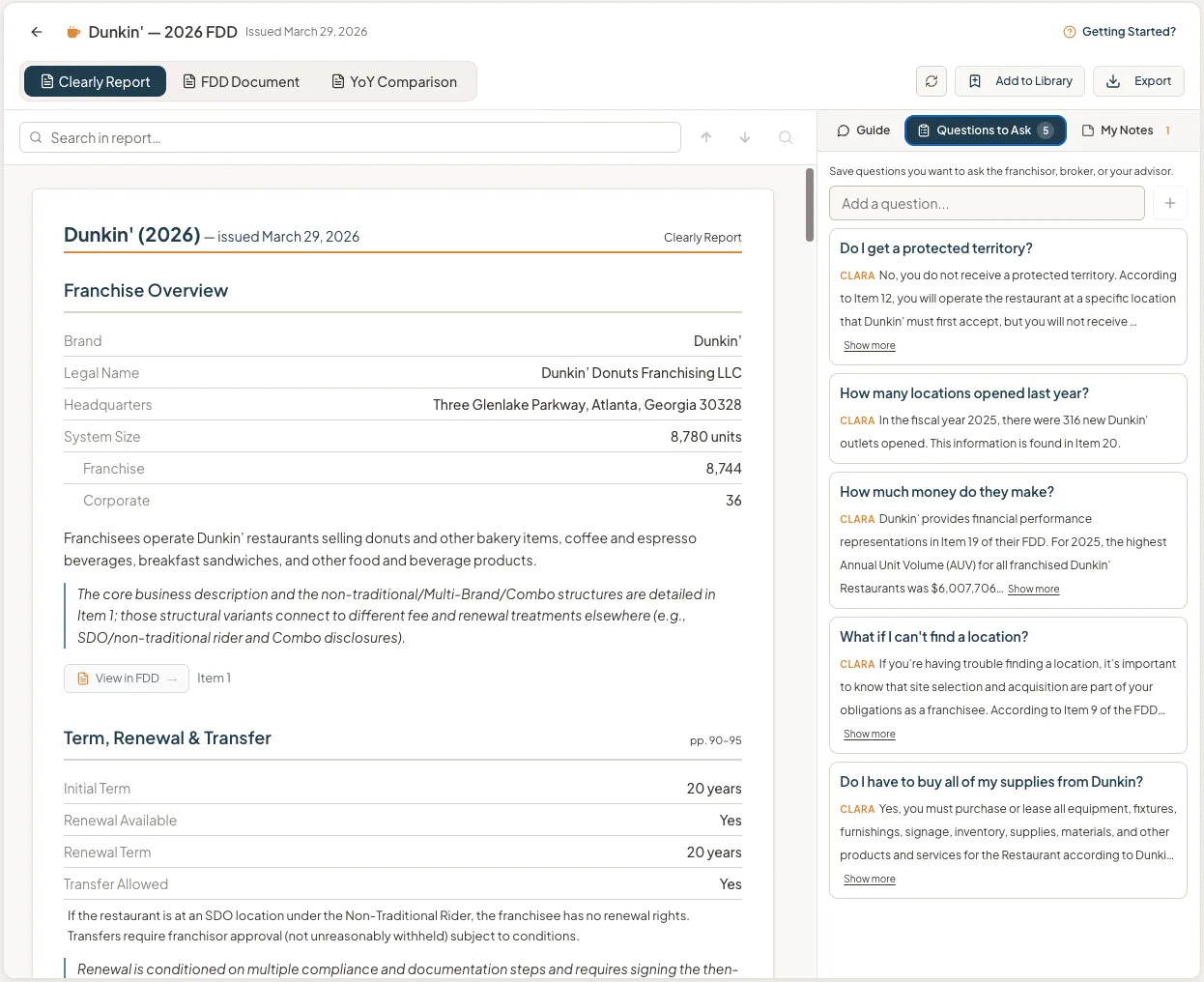
Everything you asked, saved in the next tab over from Clara — exportable to take to the franchisor or your consultant.
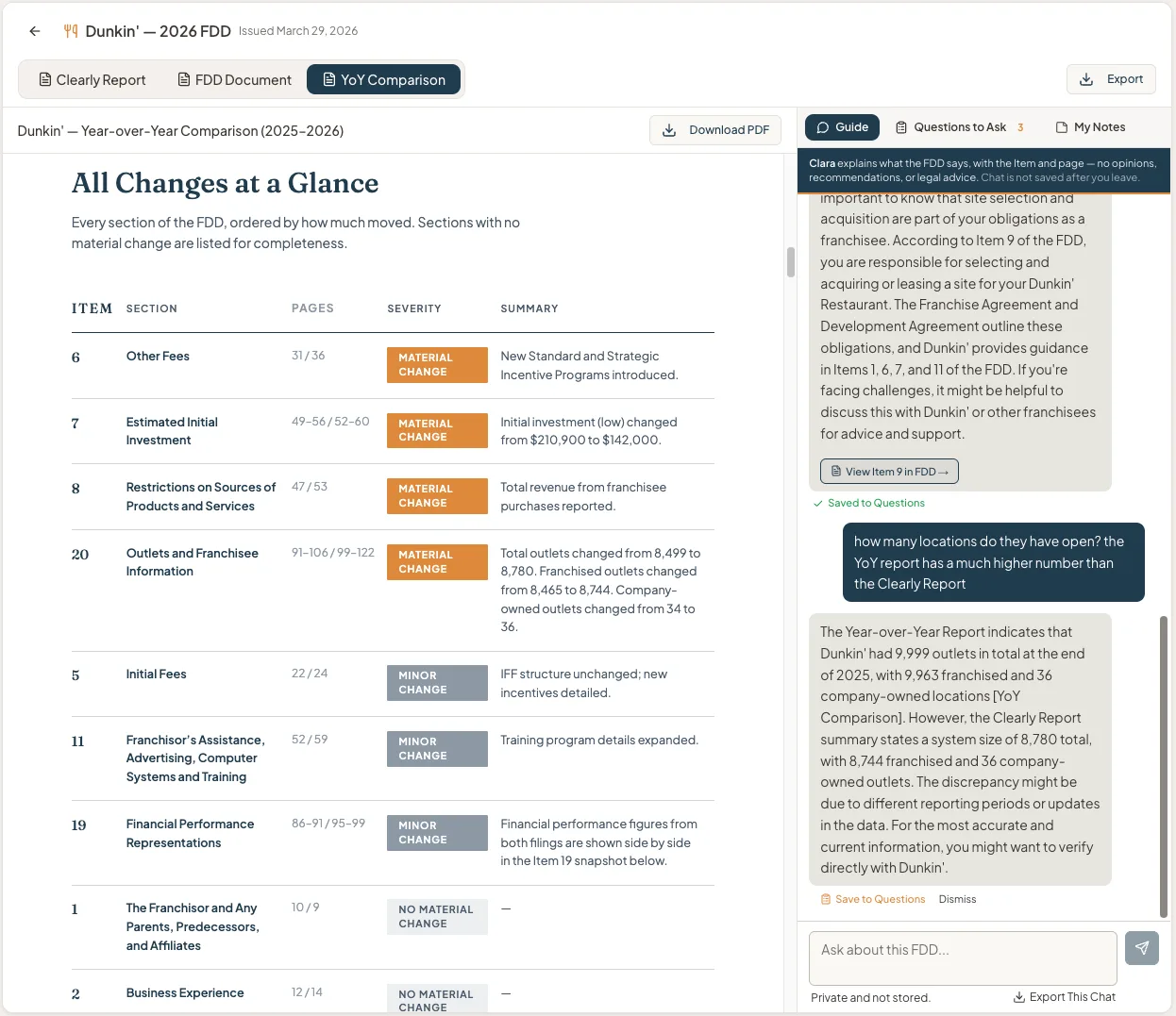
Before you close it: every section, ordered by how much changed since 2025. Sections with no material change are listed for completeness.
Find a brand
Start with the brand you're weighing.
Search by name, jump to a most-searched brand, or browse by category — every link opens a page grounded in the brand's own FDD.
Most searched
Browse by category
One source of truth
The same record, read at every altitude.
Buyers read one filing closely. Professionals read hundreds at once. Nothing changes but how far back you stand.
Proof, from altitude 05 · Category Intelligence · August 2026
Home services grew 3.2% last year. The 30 biggest brands shrank; the smallest grew 26%.
The momentum is in the skilled trades and emerging brands, not the household names.
§ 134 brands · 2025→2026 filings · Item 20 outlet counts
The lane
Not a chatbot guessing.
Not a scorecard.
A general AI tool
Guesses. Paste in an FDD and it blends other brands, last year's numbers, and advice it has no business giving.
A paid "deep analysis"
Scores. You get a rating that carries someone else's judgment, not what the document says.
Clearly
Cites. Every answer comes only from the FDD, linked to the Item and page. Clara never gives her opinion.
A real exchange from Mr. Rooter's filing. Clara's answers, verbatim. ↓
Choosing a franchise isn't only an investment. It's a decision about the life you want — and that part is in the FDD, too.
§ Item 15 · your participation§ Item 12 · your territory§ Item 17 · your exit
Start
Start where you are.
Explore for free, open one brand's Workspace, or unlock every brand with Professional.
The directory
Explore
Free
account required
- Browse 1,900+ brands
- Filter key filing and system facts
- Save favorites to your Library
One brand, in depth
Most popularWorkspace
$19
one-time · per brand workspace
- Clearly Report, FDD, Clara, and Notes together
- Every answer sourced to the Item and page
- Year-over-Year Report included whenever published
- Permanent access in your Library
All brands
Professional
From $149/mo
billed annually at $1,788
or $199/mo billed monthly
- Every brand's Workspace is open and available
- Expanded side-by-side Comparison
- Personal Portfolio Library
Teams or organizations? Talk to us about Enterprise →Full details on the pricing page →
Here's what's true.
What you do with it is up to you.
Questions people ask
What is an FDD?
A Franchise Disclosure Document is what a franchisor must give you at least 14 days before you sign or pay. Twenty-three Items cover fees, obligations, territory, litigation, and, if the brand chooses to disclose it, financial performance.
Is it safe to use AI on my FDD?
Clara reads only the FDD in front of her. She doesn't blend in other brands, prior years, or advice, and every answer points to the Item and page it came from. Your chat is private and isn't stored after you leave.
Does Clearly tell me whether a franchise is good?
No, on purpose. We don't score, rank, or recommend. We show you what the document discloses and where it says it. The conclusion is yours.
Who is Clearly for?
People evaluating a franchise, and the people who work across many of them: franchisors, brokers, consultants, associations, and investors. The same source of truth reads at rising altitude: one brand as a report, several as a comparison, a category as a field, a portfolio as a set of patterns.
How current is the data?
Every Workspace is built on the current filing, with its Year-over-Year comparison included when the prior filing is available. 1,900+ brands, about 95% of the top 500.